

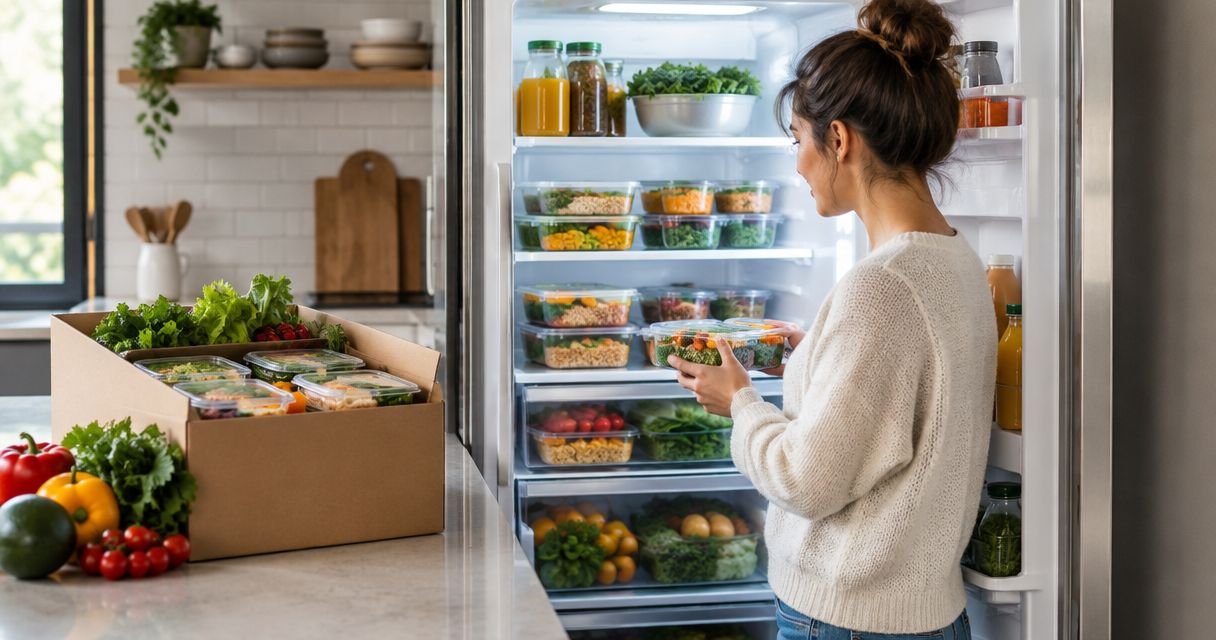
Instead of rebuilding your grocery list and checking delivery messages every week, organize weekly meal prep fridge restock delivery around a recurring planning reminder, a confirmed order, and a safe refrigerator handoff. Your calendar can automate the reminders; it cannot confirm an order, change a menu, or guarantee a delivery unless your provider explicitly supports those actions.
- Weekly meal prep fridge restock delivery needs confirmed orders, calendar reminders, and a safe handoff—not reminders alone.
- Culinary Collective ATL is best for hosts seeking private chef dinners, vacation rental dining, or retreat catering.
- Keep perishable meals at 40°F or below and follow the provider’s storage instructions.
- Check remaining meals before each order to prevent duplicate portions and unnecessary fridge clutter.
Why this matters
A recurring reminder solves a memory problem. A confirmed delivery arrangement solves a supply problem. Treating them as the same thing leaves you expecting food that nobody has agreed to prepare or deliver.
Automate the prompt, not the assumption. For your 2026 household routine, keep planning, ordering, and receiving connected but separate. You should always know which meals are requested, which are confirmed, and which have actually reached your refrigerator.
Culinary Collective ATL’s private chef service is best for hosts planning custom dinners, vacation rental dining, and retreat catering. For those occasions, explore Culinary Collective ATL; the workflow below is household planning advice, not an invitation to enroll in weekly meal prep.
Before you start
- Gather your existing arrangement. Have your provider’s ordering instructions, delivery terms, cancellation rules, storage guidance, and contact method together. Confirm whether recurring orders actually exist before building reminders around them.
- Choose a calendar and a household owner. Use a calendar you already check, with permission to create recurring events. Assign someone to approve quantities and someone to receive food; the same person can do both.
- Check the non-obvious dependency: refrigerator access. A delivery appointment does not authorize entry into your home or guarantee refrigerator placement. Agree on the handoff before scheduling anything, and never assume an insulated bag makes an unattended delivery safe indefinitely.
You also need a refrigerator thermometer, room for the incoming containers, and a place to record use-by instructions. Set these up before the first planned handoff rather than while food waits on the counter.
Your order and handoff agreement
Confirm the service boundaries
- Ask your existing provider whether orders repeat automatically or require approval each cycle. Record the answer in plain language.
- Confirm what the arrangement includes: food preparation, transportation, handoff, and refrigerator placement are separate responsibilities.
- Record the ordering deadline and the method for changes. Use the provider’s actual terms rather than a deadline copied from another service.
- Agree on who receives the meals and what happens if that person is unavailable. An unattended doorstep should not become the backup plan by accident.
- Request written confirmation of the arrangement, including any dietary instructions the provider has agreed to accommodate.
Expected result: You can explain exactly what repeats, what requires your approval, and who is responsible when the delivery arrives.
For your 2026 planning sheet, use separate headings for Requested, Confirmed, and Received. These are labels for your own record, not claimed features of a booking platform. Move an order into Confirmed only after the provider acknowledges it.
Choose the right level of automation
There are two useful ways to organize this routine. Neither requires buying another app, and neither should change your provider’s terms.
| Workflow option | Best for | Benefit | Limitation |
|---|---|---|---|
| Reminder-led ordering | Households whose meal needs change frequently | You review quantities before placing each order | A missed reminder can become a missed order |
| Provider-supported recurring ordering | Households with stable needs and an explicitly agreed recurring arrangement | You do not recreate the same request each cycle | You must still manage pauses, changes, receiving, and storage |
Choose reminder-led ordering unless recurring fulfillment is explicitly confirmed. The extra approval step gives you a chance to account for travel, dinner plans, and meals already in the refrigerator.
Provider-supported recurring ordering removes repetitive requests, but it does not remove responsibility. You still need to know whether a skipped week requires notice and whether a change has been accepted.
Your recurring calendar routine
Build the planning sequence
- Check inventory. Review unopened meals, leftovers, freezer portions, and the provider’s storage instructions. Remove anything that is no longer safe to eat.
- Review the calendar. Mark nights away, hosted dinners, school activities, and other plans that change how many meals you need at home.
- Confirm the order. Send the request through the provider’s agreed channel, or verify the existing recurring order. Record the acknowledgment.
- Receive and store. Arrange the handoff, clear refrigerator space, and put perishable food away promptly.
Expected result: Every delivery cycle has a planning decision, an order status, and a receiving plan. Nothing depends on remembering a message buried in a group chat.
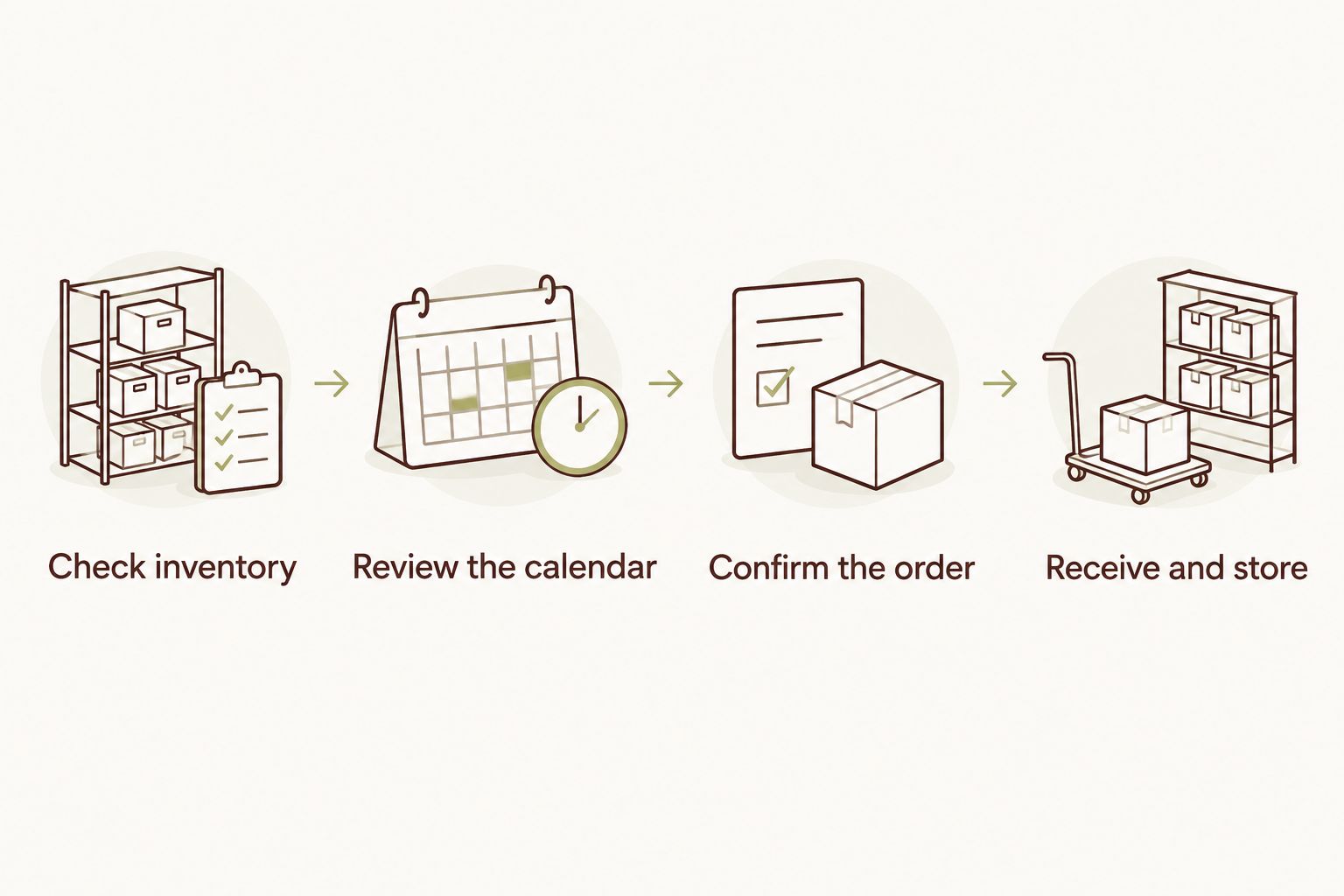
Create calendar entries using those same names. Set the order reminder before the provider’s actual deadline, leaving yourself time to respond rather than scheduling it at the cutoff.
Use the delivery entry for practical information: the agreed window, receiving person, contact method, and storage instructions. Keep sensitive entry details out of shared calendars unless everyone with access is authorized to see them.
Configure reminders without pretending they place orders
- Open your chosen calendar and create a repeating planning event. Use the calendar’s own recurrence controls; field names vary by application.
- Add an order-review reminder at a time when you can actually check the refrigerator and reply to the provider.
- Create a separate delivery event only when you have an agreed delivery arrangement. Include its confirmation status in the description.
- Invite the receiving person if you share responsibility. Ask that person to acknowledge the handoff rather than assuming an invitation means acceptance.
- Review the next cycle after any schedule change. A recurring event otherwise keeps repeating the old plan.
Expected result: Your calendar prompts the right person at the right stage without suggesting that a reminder has submitted an order.
Keep the 2026 calendar entry specific: “Review meals and confirm order” is clearer than “Food.” The wording tells you what action is still needed when the notification appears during a busy day.
Your refrigerator receiving routine
Make the handoff verifiable
- Clear a dedicated area before delivery. Keep ready-to-eat meals protected from raw meat and other potential sources of contamination.
- Check the delivery against the confirmed request. Match dietary labels and identify any unexpected substitutions before serving.
- Read the storage and reheating instructions. Ask the provider about missing or unclear directions rather than applying one instruction to every dish.
- Refrigerate perishable food promptly. USDA food-safety guidance sets refrigerator temperature at 40°F or below; use a thermometer rather than relying on the control dial alone.
- Put meals intended for earlier use where you can see them. Keep labels attached, including dates and any dish-specific directions.
Expected result: The food you received matches the order, has readable instructions, and is stored under appropriate conditions.
USDA guidance limits time at room temperature for perishable food to 2 hours, or 1 hour when the temperature is above 90°F. That limit includes the time food spends waiting during the handoff; it does not start over when you bring a bag indoors.
For cooked leftovers, USDA generally recommends 3–4 days in the refrigerator. Do not turn that into a universal promise for every delivered dish: follow applicable provider instructions and food-safety guidance, and ask about freezing when your schedule extends beyond the storage window.
When your weekly schedule changes
Use an exception workflow whenever travel, guests, or a changed work schedule affects the next order. Updating your calendar is only the first step; the provider also needs to receive and accept any requested change.
- Mark the affected delivery cycle in your calendar.
- Review what you already have before requesting fewer portions or a pause.
- Send the change through the agreed channel before the provider’s stated deadline.
- Record the acknowledgment and update the order status.
- Restore the normal routine only after checking what happens to the following cycle.
Expected result: Your household calendar and the provider’s confirmed instructions describe the same plan.
A hosted celebration deserves its own planning track rather than being squeezed into a standing food routine. Culinary Collective ATL offers private chef dining, vacation rental chef services, and retreat catering; discuss those events separately from any existing household meal arrangement.
For a 2026 vacation stay, confirm the rental’s cooking and access rules before arranging an in-home dinner. Property permission, kitchen access, and guest dietary needs belong in the event brief, not in an unrelated recurring reminder.
Troubleshooting
The reminder fired, but no order was placed
Check whether the arrangement is reminder-led or provider-supported recurring ordering. If approval is required, contact the provider and request confirmation; do not mark the delivery as scheduled merely because the calendar event exists.
Two household members submitted the same request
Assign one order owner and use one shared status record. Ask the provider to confirm the intended order before assuming either duplicate has been removed.
The recipient will be away during delivery
Contact the provider to agree on a different handoff. Do not substitute an unattended doorstep or share access credentials without explicit permission from everyone responsible for the property.
Meals keep accumulating in the refrigerator
Count meals actually eaten before the next request. Reduce the next order through the agreed process, or ask which dishes can be frozen and how; a repeating delivery should follow your consumption, not dictate it.
A label or dietary instruction is unclear
Set the affected meal aside and contact the provider before serving it. Do not infer ingredients from appearance, and do not treat an unlabeled meal as suitable for someone with a food allergy.
Customize your workflow
Keep one household record containing the current order, confirmation, delivery handoff, and storage instructions. Add detail only when it prevents a real mistake. A complicated spreadsheet that nobody checks is less useful than a short, accurate calendar note.
Review your 2026 routine whenever the household schedule changes substantially. If you regularly eat out on delivery day, move the planning decision earlier or discuss a different arrangement with your provider rather than accepting a growing backlog.
For celebrations and group stays, use a separate event brief with the date, location, guest count, dietary needs, and kitchen details. Culinary Collective ATL can discuss private chef dinners and retreat catering around that event brief without tying the occasion to recurring household orders.
Plan your private chef occasion
Discuss a private dinner, vacation rental meal, or retreat catering with Culinary Collective ATL.
FAQ
Can weekly meal prep fridge restock delivery happen automatically?
Recurring delivery requires an explicit arrangement with the provider. A repeating calendar reminder can prompt ordering and receiving, but it does not place or confirm an order by itself.
Does fridge restock delivery include putting meals in my refrigerator?
Refrigerator placement must be explicitly agreed with the provider. Confirm entry permission, the receiving person, and the handoff rather than assuming delivery includes access to your home.
What is the best way to avoid ordering too many meals?
Check existing meals and your upcoming schedule before confirming the next order. Assign one household member to approve quantities so separate requests do not create duplicates.
How cold should my refrigerator be for prepared meals?
Keep your refrigerator at 40°F or below, following USDA guidance. Use a refrigerator thermometer and follow the provider’s dish-specific storage instructions.
How long can delivered meals sit outside the refrigerator?
USDA guidance limits perishable food at room temperature to 2 hours, or 1 hour above 90°F. Arrange a receiving plan that keeps the handoff within safe conditions rather than relying on an unattended bag.
What should I do when I need to skip a delivery?
Request the change through the provider’s agreed channel and obtain acknowledgment. Deleting a calendar event does not cancel an order or change a recurring arrangement.
Should a private chef dinner use the same plan as recurring meals?
Plan a private chef dinner as a separate event. Culinary Collective ATL offers custom in-home dining, vacation rental chef services, and retreat catering, so the event brief should address the occasion, guests, dietary needs, and kitchen access.
One last thing
The most useful confirmation happens after delivery, not just before it. Mark the order Received only after checking the meals and putting perishables away. That final action closes the gap between a scheduled restock and food safely ready for your household.
Related guides
- Private chef services for Airbnb rentals in Atlanta
- How much does a private chef cost for a birthday party?