


Instead of manually reconciling session times and meal requests every day, build your retreat itinerary private chef meal schedule in one shared planning sheet, with each meal tied to a session ending, a kitchen-access window, and a named decision-maker. For a 2026 retreat with Culinary Collective ATL, use that sheet to agree on the plan with Chef Rob before circulating dining times to guests.
- Build your retreat itinerary private chef meal schedule around sessions, kitchen access, and confirmed guest needs.
- Culinary Collective ATL serves Metro Atlanta and North Georgia hosts planning private chef dining and retreat catering.
- Keep guest dining times separate from kitchen preparation and cleanup windows.
- Treat itinerary changes as requests until the chef confirms the revised meal schedule.
Why this matters
A retreat agenda tells guests where to be. A chef meal schedule must also explain when the kitchen is accessible, when food reaches the table, and who can approve a change. A lunch time alone does not answer those questions.
Culinary Collective ATL is best for Metro Atlanta and North Georgia hosts arranging private chef dinners or retreat catering. The service is led by Chef Rob; your role as organizer is to provide the venue, guest, and itinerary details needed to shape the meal plan.
For your 2026 retreat, make the operational schedule the source of truth and publish a shorter guest-facing agenda from it. That keeps kitchen instructions out of the welcome packet without separating meals from the sessions they support.
Before you start
- Gather the working materials. Have the retreat agenda, venue address, kitchen details, overnight accommodation arrangements, and expected attendance for each meal. Use a shared document or spreadsheet that the organizer and chef can both review; no booking-system integration is required for this workflow.
- Assign access and authority. Identify the venue contact, the chef contact, and the organizer authorized to approve schedule changes. Collect dietary requirements privately, then share the necessary food-service information with the chef.
- Check the hidden constraint: kitchen access. Permission to host a retreat does not establish when a chef can enter, prepare, serve, or clean up. Confirm the property's rules and any competing kitchen use before treating meal times as agreed.
The itinerary source
Start with the retreat's fixed commitments, not a blank breakfast-lunch-dinner template. Your meal schedule needs to fit the actual program, including the moments when guests are away from the property.
Establish the planning record
- Create a document titled 2026 Retreat Meal Schedule. Add the retreat dates, property address, organizer's name, and the person responsible for updating it.
- Copy the agenda's fixed commitments into the document: arrival, departure, sessions, outings, transfers, and venue-access restrictions. Mark each entry Fixed or Flexible.
- Give each planned meal a unique identifier, such as Arrival dinner or Workshop lunch. Use that same wording in the kitchen plan and guest agenda.
- Record attendance by meal rather than relying on the overnight guest total. Note late arrivals, early departures, and any day participants separately.
- Add Last updated and Approved by fields. These are labels you create, not settings in a particular booking platform.
Expected result: You have one planning record that identifies the retreat's immovable commitments and the guests expected at each meal.
Do not copy every workshop description into the chef's working schedule. Keep the information that affects food service: where guests will be, when they return, and whether a session can run late. A short operational record is easier to keep accurate than a second full itinerary.
The daily meal slots
A usable meal slot includes more than the moment guests sit down. It connects preparation, service, and room turnover to the surrounding activities.
Define each meal window
- Create these custom column labels: Meal, Guest count, Dietary needs, Kitchen access, Service time, Meal end, Reset complete, and Status.
- Enter the desired guest-facing time under Service time. Keep it marked Proposed until the chef and venue have confirmed the surrounding requirements.
- Ask the chef to specify the preparation access and service requirements for the agreed menu. Do not calculate those windows from a generic rule.
- Record when guests must leave the dining area and when the space must be ready for its next use. If the next session uses another room, say so.
- Add the session immediately before the meal and the activity immediately after it. Check the transitions in both directions.
Expected result: Every meal has an identifiable service window, a workable kitchen-access arrangement, and a clear relationship to the retreat agenda.
Read a sample slot correctly
The following is an illustrative planning example, not a required service duration or a confirmed chef schedule:
| Planning field | Example entry | What you must confirm |
|---|---|---|
| Previous session | Ends at 12:00 p.m. | Whether guests need to walk or travel back |
| Service time | Lunch at 12:30 p.m. | Whether the menu and kitchen plan support it |
| Meal end | 1:15 p.m. | Whether guests have enough time for the planned service |
| Next session | Starts at 1:30 p.m. | Whether the dining room needs to become a session room |
| Kitchen access | To be agreed | Preparation, storage, and cleanup requirements |
This example leaves a 30-minute transition before lunch and a 15-minute transition afterward. Those are example intervals, not recommendations. Replace them with timings agreed for your venue, menu, and program.
Do not treat the gap between sessions as the chef's preparation window. Kitchen work and guest activities can overlap only when the space, access, and agreed service plan allow it.
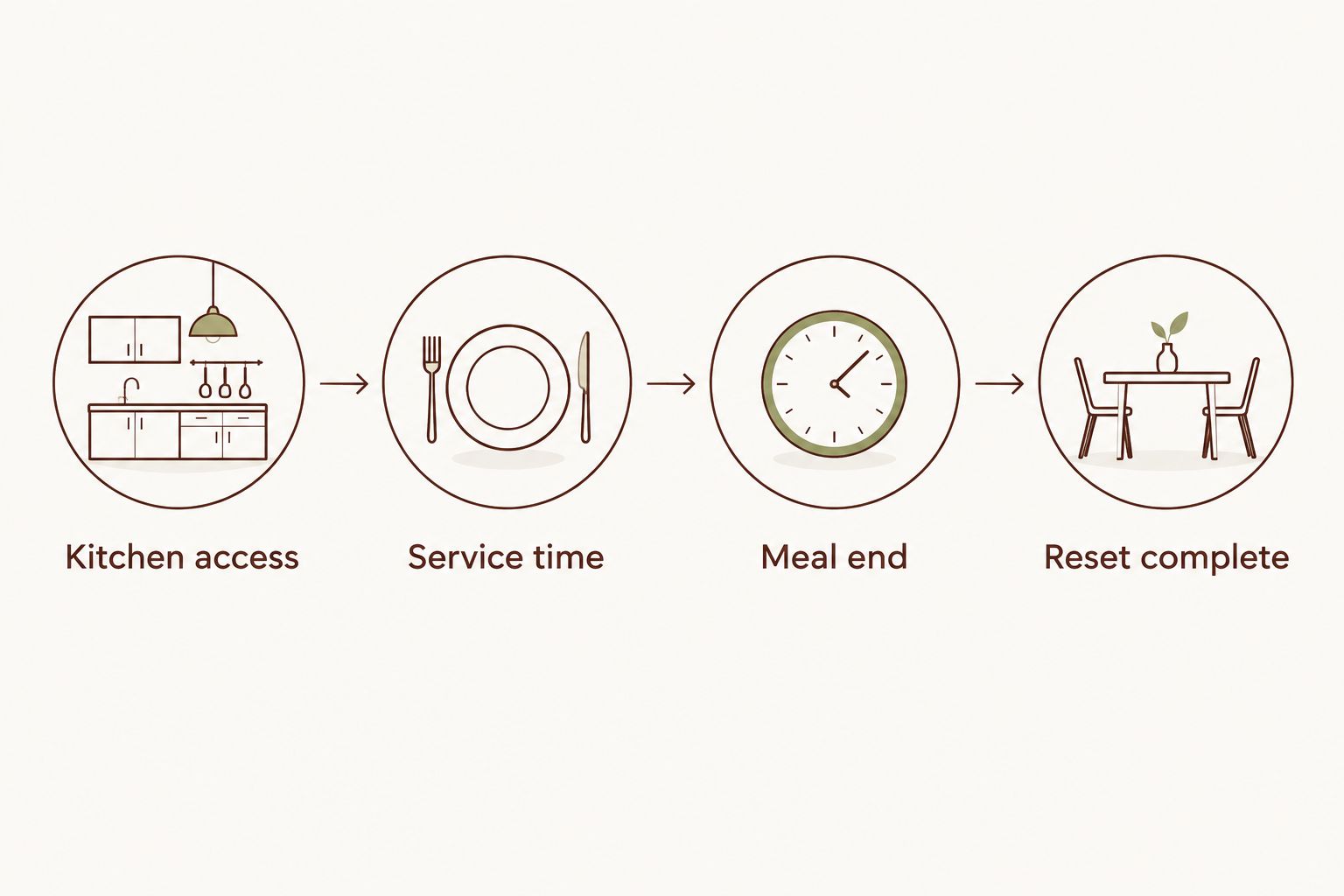
The chef handoff
Once the meal slots exist, connect each one to the information needed to prepare and serve it. This is where a retreat itinerary becomes a practical catering brief rather than a list of preferred times.
Confirm the service plan
- Send the chef the working agenda, meal-by-meal attendance, venue information, and dietary requirements. Flag unknowns explicitly rather than leaving ambiguous blanks.
- Review the proposed service format with the chef. Record what is agreed, including where guests will eat and whether the dining space has another use afterward.
- Confirm kitchen equipment and access with the venue contact. Share actual details or photographs rather than describing the kitchen only as fully equipped.
- Add an Approval needed field for unresolved decisions. Assign each issue to a named person so venue questions do not sit unanswered with the organizer.
- Change Status from Proposed to Confirmed only after the relevant details are agreed. Keep declined or replaced arrangements out of the guest agenda.
Expected result: The chef, host, and venue contact can distinguish confirmed arrangements from open requests without reading through a message history.
For a 2026 planning handoff, share the document's current version rather than an old attachment. If you must circulate a PDF, include the version date and explain which working document replaces it when details change.
Culinary Collective ATL offers retreat catering and custom in-home dining. Bring Chef Rob the retreat's constraints and guest needs; do not assume that a sample menu or another event's timetable establishes your own service arrangement.
The guest schedule and change control
Guests need clear dining instructions. The kitchen team needs operational detail. Keep both views connected without publishing private dietary information or every preparation task.
Publish the agreed schedule
- Copy only confirmed meal names, dining times, and locations into the guest agenda. Include any action guests need to take, such as returning from an outing before dinner.
- Keep kitchen-access details, dietary notes, and organizer contact information in the restricted working document.
- Name one schedule owner. Ask facilitators and guests to send requests to that person rather than issuing instructions directly to the kitchen.
- Log each proposed change beside the affected meal. Record the requested revision, who requested it, and whether the chef has accepted it.
- Update the operational record first, then the guest agenda. Notify everyone affected instead of relying on them to discover an edit.
Expected result: Guests receive a simple itinerary, while the chef and organizer retain a detailed, current service plan.
A changed session time is not an approved meal-time change. Confirm the effect on preparation and service before promising guests a revised dinner time.
Update meal slots whenever the itinerary changes
The adjacent workflow is a change-request process. Use it when a workshop moves, a transfer is delayed, or attendance changes after the initial plan is agreed.
Record the proposed change against the existing meal identifier. Then check attendance, dietary requirements, kitchen access, service timing, and the next activity. Ask the chef to confirm the revised arrangement before changing its status or publishing it.
Choose the review method that fits your retreat:
| Workflow | Best for | Advantage | Limitation |
|---|---|---|---|
| Manual review | Hosts managing a simple agenda with few revisions | Easy to maintain without configuring another system | The schedule owner must remember to check every affected meal |
| Shared change log | Organizers coordinating several facilitators or changing attendance | Keeps requests, ownership, and approval visible together | Requires everyone to use the same record rather than separate messages |
For your 2026 retreat, use a shared change log when several people can alter the program. The document does not need to be elaborate; it needs an owner and a clear approval trail.
Neither method automatically confirms chef arrangements. A notification tells someone a request exists; it does not establish that the revised service is workable.
Troubleshooting
A workshop runs into lunch
Ask the chef what adjustment is workable before announcing a delay. Check the meal end and next session as well; moving lunch without moving anything else simply transfers the conflict.
The venue cannot provide the expected kitchen access
Resolve access with the property contact and chef before confirming the affected meal. Share the actual restriction, including any overlapping use, and revise the service plan around the agreed arrangement.
Attendance differs from the original guest list
Update the affected meal rows, not just the retreat total. Send the chef the revised attendance and dietary information together, then confirm what changes to the service plan are accepted.
Guests receive conflicting meal times
Check the working schedule's approved version, correct the guest agenda, and send a direct clarification. Remove superseded copies from shared folders where possible so they do not keep circulating.
An allergy appears only in a guest message
Move the necessary information into the restricted dietary record and notify the chef directly. Do not assume a spreadsheet entry alone resolves allergy handling or cross-contact concerns; discuss the specific requirement before confirming arrangements.
Customize your workflow
Extend the same planning record to arrivals, off-site meals, and departure-day needs. Mark meals outside the chef's agreed scope clearly so guests do not mistake an itinerary entry for a catered service.
For corporate retreats, add the session owner beside each meal's preceding activity. For family gatherings, identify who will confirm attendance. For vacation properties, keep access instructions and the venue contact with the operational details.
If you are arranging a 2026 retreat in Metro Atlanta or North Georgia, share your working itinerary with Culinary Collective ATL when discussing retreat catering. Agree on the meal windows before finalizing the guest agenda.
Discuss your retreat meal plan
Bring your itinerary, venue details, and guest needs to a retreat catering conversation.
FAQ
How do I connect my retreat itinerary to a private chef meal schedule?
Create one shared planning record that ties each meal to guest attendance, kitchen access, service time, and the surrounding sessions. Confirm the operational details with the chef before publishing dining times to guests.
Should I choose retreat meal times before speaking with the chef?
Choose proposed meal times before the conversation, but keep them provisional. The chef and venue need to confirm preparation access and service requirements before those times become commitments.
Do I need scheduling software for a retreat chef?
No, a shared document or spreadsheet can support this workflow. Give each meal a consistent name, assign a schedule owner, and track which arrangements are confirmed.
What happens if a retreat session runs late?
The organizer should ask the chef to confirm a workable adjustment before announcing a new meal time. Check the effect on the next session and any required dining-room reset too.
How do I handle different guest counts at each meal?
Record attendance separately for every meal. Include late arrivals, early departures, and day participants, then send changes to the chef for confirmation.
Can the guest itinerary include dietary requirements?
Keep personal dietary information in a restricted operational record rather than the public guest itinerary. Share the necessary details directly with the chef and discuss allergies explicitly.
Does Culinary Collective ATL cater retreats outside Atlanta?
Culinary Collective ATL serves clients across Metro Atlanta and North Georgia and offers retreat catering. Discuss the specific property and event requirements when arranging your retreat.
One last thing
Check the meal immediately before departure as carefully as arrival dinner. A guest-facing checkout time does not establish when the kitchen must be cleared or when the chef can finish cleanup. Put those requirements into the working schedule before you circulate the final itinerary.
Related guides